Who this guide is for
Readers trying to make group scheduling simpler and more reliable.
Use this guide when
Calendly is great for 1:1 meetings but falls short for groups. Explore the best alternatives to Calendly for group scheduling in 2026.
Calendly revolutionized 1:1 scheduling. Send a link, let someone book a slot on your calendar, eliminate the back-and-forth. For sales calls, interviews, and consultations, it's excellent.
But Calendly has a blind spot: group scheduling. When you need to find a time that works for multiple people—not just book a slot on one person's calendar—Calendly's model breaks down.
If you're struggling to coordinate team meetings, plan events, or schedule group sessions with Calendly, you're not using the wrong tool. You're using the right tool for the wrong job.
Why Calendly Struggles with Groups
Calendly's core model is individual availability. You share your open slots; someone picks one. This works beautifully for two people but fails for three or more.
With groups, you need to find the intersection of multiple people's availability. Calendly doesn't show you where everyone's schedules overlap. It just shows one person's open times, which may not work for anyone else.
Calendly's group features exist but are limited and often require paid plans. Even then, the experience is clunky compared to dedicated group scheduling tools.
What Group Scheduling Requires
Effective group scheduling needs different capabilities:
Multi-person availability visualization. You need to see where everyone's schedules overlap, not just one person's open slots.
Consensus building. Group scheduling is about finding the option that works for the most people, not booking a specific slot.
Participant-friendly. Group members shouldn't need Calendly accounts or calendar integrations to indicate availability.
Poll-based approach. Rather than booking immediately, you propose options and let the group vote on what works best.
The Group Scheduling Tool Landscape
Several tools specialize in group coordination:
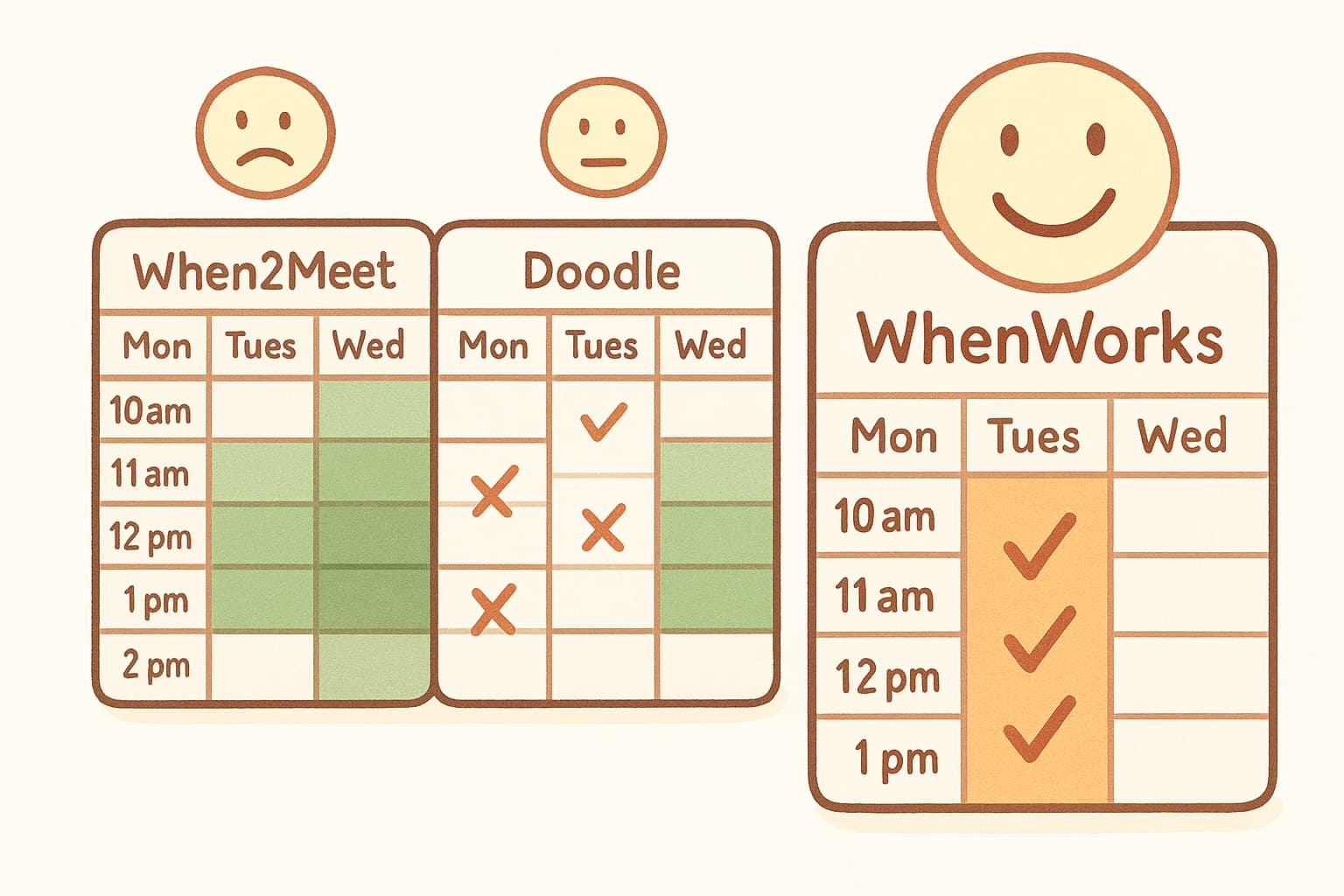
Doodle offers group polling but often requires participant accounts and pushes aggressively toward paid features.
When2Meet handles group availability but hasn't been updated in years and feels dated.
WhenWorks provides modern group polling with zero participant friction and a clean interface.
WhenWorks: Purpose-Built for Groups
WhenWorks was designed specifically for the use case Calendly doesn't handle: finding times that work for everyone. Create a poll with potential meeting windows, share with your group, and let everyone mark their availability.
The visual grid makes consensus obvious. Participants don't need accounts. And the entire process takes minutes, not hours.
Use Calendly for your 1:1 meetings—it's excellent for that. But when you need to coordinate a group, switch to WhenWorks. Try it free at whenworks.cc.
Before you act on this advice
- Look for the smallest process that still gets you a confident answer.
- Keep the group experience simple for first-time participants.
- Document the final outcome so nobody has to guess what was decided.
Common traps to avoid
- Simple systems work best when the organizer explains them clearly from the start.
- Over-customizing the process often adds work without improving outcomes.
- Make one decision well before trying to optimize every part of the workflow.
Best next step
Use the simplest version of this advice on your next real coordination task and then improve it based on what actually happens.
Why you can trust this page
Our editorial approach centers on real scheduling decisions, not generic productivity filler.
Public guides on WhenWorks are tied to the product and support context behind the site. We explain our editorial process publicly so readers can judge whether the page feels complete and trustworthy for their use case.
Want the policy context behind this article? Review our editorial standards or contact the team.
Questions people usually ask
What is the best next step after reading this article?
Apply the advice to one real scheduling scenario soon while the ideas are still concrete. Practical use is the fastest way to see what actually fits your workflow.
How should I adapt this guidance to my situation?
Keep the principles and simplify the process around your real constraints, such as group size, urgency, and whether you control the calendar or need consensus.